
Few things are more unsettling than a brake pedal that pulses under your foot — or a steering wheel that shimmies every time you slow down. Most drivers are told their rotors are "warped," but the full story is more interesting than that. Here's what's really happening inside your braking system, why it happens, and how to fix it.
What Do Brake Rotors Actually Do?
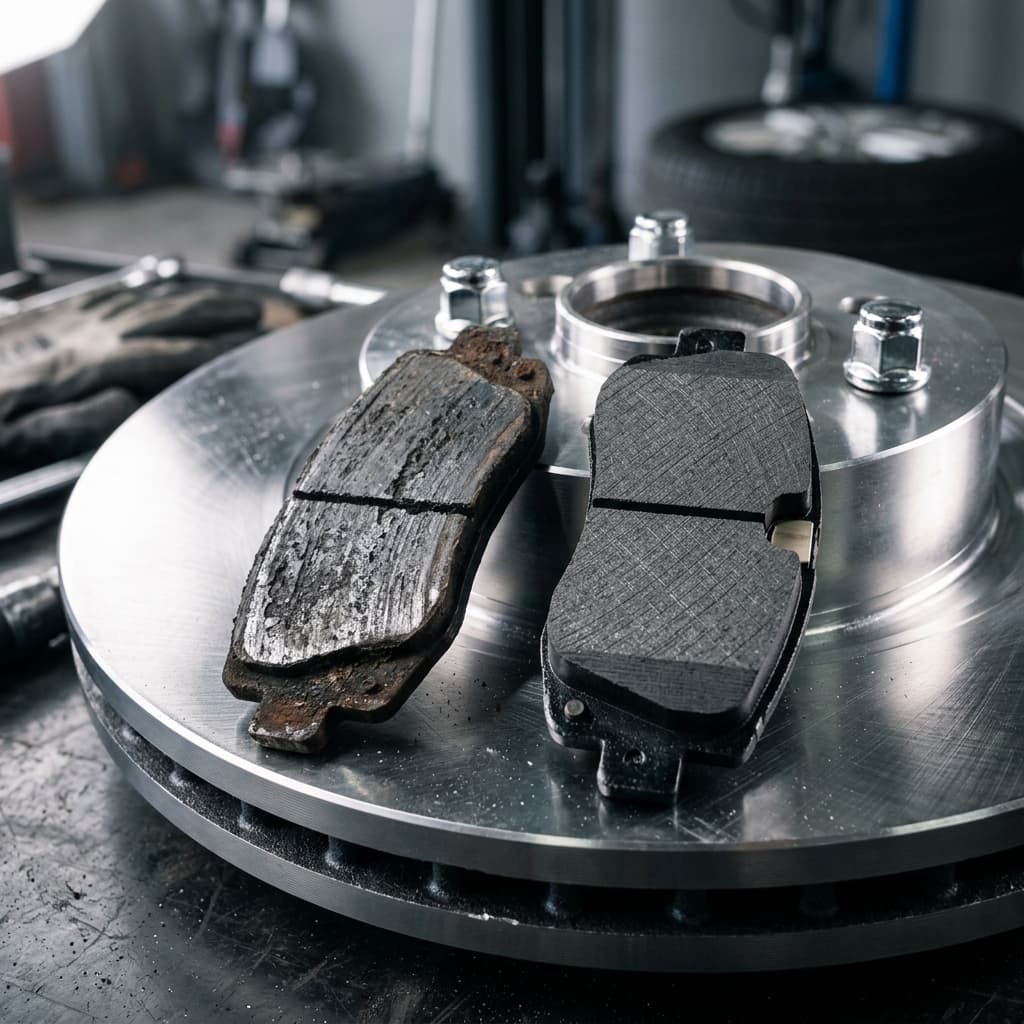
Brake rotors are the large metal discs you can see through your wheel spokes. When you press the brake pedal, hydraulic pressure pushes the brake caliper to squeeze brake pads against both sides of the spinning rotor. The resulting friction converts kinetic energy (motion) into heat, slowing your vehicle. Rotors serve double duty: they provide the friction surface for the pads, and they dissipate the enormous heat that stopping creates. A set of rotors can absorb and shed hundreds of degrees of heat in seconds during normal highway driving.
What "Warped" Actually Means — The Truth About DTV
Despite what you've heard, brake rotors rarely warp in the traditional sense. True warping — heat bending the rotor like a warped piece of wood — is uncommon in everyday driving. Modern cast-iron rotors are specifically engineered to resist thermal distortion.
What mechanics are actually seeing in nearly every case is Disc Thickness Variation (DTV): tiny differences in the rotor's thickness at different points around its circumference. DTV as small as 0.001–0.002 inches is enough to cause noticeable pedal pulsation. As the rotor spins, the caliper piston is pushed in and out by these high and low spots, which you feel as a rhythmic pulse through the brake pedal — and sometimes through the steering wheel and floorboard.
What Causes Disc Thickness Variation (DTV)?
1. Uneven Pad Material Transfer
This is the number-one culprit. When you make a hard stop and then hold your foot on the brake while the car is stationary, the hot rotor surface is in constant contact with the pad in one place. The pad deposits a thin layer of friction material onto the rotor. Over multiple stops, these deposits build into uneven "high spots" around the rotor. Result: DTV and the pulsating pedal you feel.
2. Improper Bedding of New Pads
New brake pads require a "bedding" or "break-in" procedure to transfer a thin, even layer of pad material across the entire rotor surface. Skipping this step — or doing hard stops immediately after installation — causes the first few stops to deposit material unevenly. This locks in DTV from day one.
3. Overheating from Aggressive Braking
Mountain descents, track driving, or repeatedly hard-braking at highway speeds generates more heat than most rotors are designed to handle routinely. At extreme temperatures, the rotor's metal structure can soften slightly and take a permanent set — this is genuine thermal distortion, and it's the closest thing to true "warping" that actually happens.
4. Overtorqued or Unevenly Torqued Lug Nuts
This one surprises most drivers. When lug nuts are over-tightened (especially with an impact wrench without a torque stick), the uneven clamping force distorts the rotor's mounting flange — the flat surface where the rotor sits against the hub. This creates runout: the rotor wobbles slightly as it turns, which the brake pads then translate into pulsation. Always use a torque wrench and tighten lug nuts to spec (typically 80–120 ft-lbs, depending on your vehicle).
5. Driving Through Water After Hard Braking
Hitting a puddle immediately after a hard stop can rapidly cool one section of the rotor unevenly, causing localized thermal stress. Over time, repeated thermal cycling like this creates stress points that contribute to DTV.
Symptoms of Rotor Problems
- Pulsating brake pedal: The most definitive sign — a rhythmic in-and-out movement you feel through the pedal as you apply the brakes
- Steering wheel shimmy when braking: If the front rotors are the issue, you'll feel vibration through the steering wheel when slowing down
- Vibration through the seat or floorboard: Rear rotor problems typically manifest here
- Longer stopping distances: Uneven pad contact reduces braking effectiveness
- Visible scoring or grooves: Deep grooves you can see or feel with your fingernail indicate mechanical wear
Can Rotors Be Resurfaced, or Do They Need Replacement?
This is the key repair decision, and the answer depends on one number: minimum thickness specification.
Every rotor has a minimum thickness stamped on the edge or hat (the center section). This spec exists because thinner rotors have less metal to absorb and dissipate heat — below the minimum, the rotor can flex under braking pressure and overheat rapidly. Driving on rotors below minimum thickness is a safety hazard.
Resurfacing (also called machining or turning) removes a thin layer of metal from both sides of the rotor to restore a flat, smooth surface. It eliminates DTV and light scoring. Cost: $15–$25 per rotor at most shops. The catch: resurfacing removes material, so the rotor must have enough thickness remaining to still meet or exceed the minimum spec after machining.
Replacement is necessary when the rotor is at or near minimum thickness, has deep grooves, cracks, or has been overheated (blue discoloration is a telltale sign). Cost: $30–$80 per rotor for parts, plus labor. A full axle brake job (pads + rotors on both wheels of one axle) typically runs $150–$350 per axle at an independent shop.
Our recommendation: if a rotor is within 10–15% of minimum thickness, replace it rather than resurface. The cost difference is small, and you'll get the full service life from fresh rotors rather than marginal ones.
How to Prevent Rotor Problems
- Bed in new pads properly: After installation, perform 8–10 moderate stops from 40 mph down to 10 mph without coming to a full stop. Let the brakes cool completely. This transfers an even layer of pad material to the rotor.
- Avoid holding brakes after hard stops: After any aggressive braking, keep the car rolling slowly rather than stopping completely. This prevents pad material from depositing in one spot on the hot rotor.
- Torque lug nuts correctly: Use a torque wrench or torque stick — never just blast lug nuts on with an air gun.
- Don't drive through water immediately after hard braking: Let the rotors cool slightly before hitting a puddle.
- Choose quality pads and rotors: Budget parts with inconsistent metallurgy are more prone to DTV and thermal distortion.
Frequently Asked Questions
Can warped rotors fix themselves?
No. Disc Thickness Variation doesn't correct itself over time — it typically gets worse as more pad material deposits in uneven patterns. Once pulsation is noticeable, resurfacing or replacement is required.
Is it safe to drive with warped rotors?
Mild DTV with minor pulsation is annoying but not immediately dangerous for short distances. However, significant pedal pulsation means your braking is uneven — which extends stopping distance and reduces control in emergency situations. It's not something to ignore indefinitely. If you feel pulsation, get it inspected.
Should I resurface or replace my rotors?
If the rotor has ample thickness above the minimum spec and no cracks or deep grooves, resurfacing ($15–$25/rotor) is a reasonable option. If the rotor is near minimum thickness, replacement ($30–$80/rotor) gives you a fresh service life for a modest additional cost. We'll always tell you which makes more sense for your specific vehicle.
How long do brake rotors last?
Most rotors last 50,000–70,000 miles, but city driving, aggressive braking habits, towing, and pad choice all affect lifespan. Rotors should always be inspected when pads are replaced — pads typically need replacement every 25,000–50,000 miles.
If your brake pedal is pulsating or your steering wheel shimmies when you slow down, stop by any Chloe's Auto Repair & Tire location for a free brake inspection. We'll measure your rotor thickness, check for runout, and give you an honest recommendation — resurface or replace — with no upsell pressure. If your rotors are in good shape but you have other noise concerns, check out our guide on why your brakes might be making noises.